
Now that we've released TeamDirection Project, it's time to answer the elephant in the room: How does TeamDirection Project compare to Microsoft Project?
Well, we do pair a task grid on the left with a gantt chart on the right. And I personally think TeamDirection Project is much prettier. But really, our focus is on the small to medium business, 5 - 50 employees, that would like an easy way to structure, schedule and share projects in a team environment.
When you don't have limitless resources, you need the right tool for the job. You can't give everyone a scalpel and expect surgery to be successful. You don't give everyone the tiller and expect docking to be smooth. Any non-trivial project requires a group of people to interact, do their part and communicate their issues as efficiently as possible.
That's what TeamDirection brings.
Microsoft Project is a great product. You can plan canals, nuclear reactors and hospitals with it. You have an array of tools at your disposal: resource pools, 10 or more working shifts per day, PERT and WBS structures, critical path analysis and a gazillion more features a skilled project manager wants, and might even need.
We think that's great. But the ability to level resources, find critical paths and adjust level of effort is lost on the person who is just making an image for the website. They only need to report when they're done, attach the image for people to see and comment how it synthesizes Bauhaus post-modernism and consumer durable gooods.
TeamDirection bridges these two worlds. It lets the project manager have all the power, and it lets the team members execute their tasks, see and connect with their team members online to resolve issues and report progress.
One product can't make everyone happy. But one product can bridge the divide between planning and execution, allow users the tools that fit their needs and focus on sharing information-- among the team, and with just a little bit of direction.
TeamDirection.
Thursday, November 30, 2006

Wednesday, November 29, 2006
TeamDirection Project 2007 Released
How about that!
A simple, elegant, intuitive, IntelliGantt(!) project tool that makes it easy for project managers to connect with their teams, easy for teams to execute projects and easy for MS Project and MindManager to work with SharePoint and Groove.
I've been wearing a marketing hat for a while, but now I get to try on a sales hat. No its not tall and pointy :) It's only uncomfortable because I don't consider myself a salesman.
But, being an owner of TeamDirection means I want to know how everything is working, from developmet through marketing and ultimately sales. And I will do my best to make sure everything is coming together for our customers.
What this means for you, aside from great project management software, is you might just get a call from me some day. For the first few recipients, I apologize in advance for my stuttering and stammering-- I'll eventually sound smooth and polished on the phone.
But know also I won't be just talking, I'll be listening too. And the things you have to say have a great chance of making their way into our product.
A simple, elegant, intuitive, IntelliGantt(!) project tool that makes it easy for project managers to connect with their teams, easy for teams to execute projects and easy for MS Project and MindManager to work with SharePoint and Groove.
I've been wearing a marketing hat for a while, but now I get to try on a sales hat. No its not tall and pointy :) It's only uncomfortable because I don't consider myself a salesman.
But, being an owner of TeamDirection means I want to know how everything is working, from developmet through marketing and ultimately sales. And I will do my best to make sure everything is coming together for our customers.
What this means for you, aside from great project management software, is you might just get a call from me some day. For the first few recipients, I apologize in advance for my stuttering and stammering-- I'll eventually sound smooth and polished on the phone.
But know also I won't be just talking, I'll be listening too. And the things you have to say have a great chance of making their way into our product.
Sunday, November 26, 2006
I Survived Thanksgiving
Though most of the world has some sort of celebration at the end the year, here in the US we like to have a clear start and finish. Our holiday schedule officially kicks of with Thanksgiving and culminates, after a brutal test of good cheer, at least one journey of biblical proportions (lost tribes, anyone?) and rampant consumerism, with Christmas. Each year that goes by the dropped guantlet seems larger, the span between holidays feels shorter and the urge to migrate more intense.
This year, I capitulate right now. I actually capitulated a couple of days ago, but only now have I recovered sufficiently to state my capitulation for the record.
Let's see:
1) Seven and a half hour drive from Seattle to Portland
a) With two sick kids
b) And a dog (not sick, but not enjoying 7+ hours in the car, either)
2) One sick family descending upon heretofore healthy relatives
a) Throw in one pregnant relative ('You didn't tell me you were sick!")
3) One set of relatives who got diagnosed with exanthem (highly contagious kids disease) the day before Thanksgiving.
a) Bright spot-- at least they knew before they infected everyone else
4) Another set of relatives we couldn't visit because we were so sick and major surgery is close at hand.
a) Bright spot -- I am so glad they won't get sick because of us and miss surgery.
5) One night with all of us in a room, exchanging various methods of rousing the others from peaceful slumber.
a) Bright spot -- dog seemed to have no trouble sleeping through it all
Thankfully we had the foresight, in hindsight, to call the whole thing off and head back home. Convalescing the last few days has been done in the comfort of our own bedrooms, and the dog even got a walk.
However, I do notice we put up a Christmas tree today.
Perhaps we're not quite ready to capitulate this year.
Yet.
This year, I capitulate right now. I actually capitulated a couple of days ago, but only now have I recovered sufficiently to state my capitulation for the record.
Let's see:
1) Seven and a half hour drive from Seattle to Portland
a) With two sick kids
b) And a dog (not sick, but not enjoying 7+ hours in the car, either)
2) One sick family descending upon heretofore healthy relatives
a) Throw in one pregnant relative ('You didn't tell me you were sick!")
3) One set of relatives who got diagnosed with exanthem (highly contagious kids disease) the day before Thanksgiving.
a) Bright spot-- at least they knew before they infected everyone else
4) Another set of relatives we couldn't visit because we were so sick and major surgery is close at hand.
a) Bright spot -- I am so glad they won't get sick because of us and miss surgery.
5) One night with all of us in a room, exchanging various methods of rousing the others from peaceful slumber.
a) Bright spot -- dog seemed to have no trouble sleeping through it all
Thankfully we had the foresight, in hindsight, to call the whole thing off and head back home. Convalescing the last few days has been done in the comfort of our own bedrooms, and the dog even got a walk.
However, I do notice we put up a Christmas tree today.
Perhaps we're not quite ready to capitulate this year.
Yet.
Wednesday, November 15, 2006
Microsoft Groove Case Study with TeamDirection
Microsoft has just posted a somewhat repackaged case study for Groove, TeamDirection and Steelcase. It's actually based on the Groove 3.x system, but its been a nice customer solution for everyone involved.
The bottom line:
Steelcase groups using Groove Virtual Office (and TeamDirection!) saved up to 10 percent on project costs by reducing travel expenses and increasing productivity.
I think the same type of solution will also work very well for SharePoint users too.
The bottom line:
Steelcase groups using Groove Virtual Office (and TeamDirection!) saved up to 10 percent on project costs by reducing travel expenses and increasing productivity.
I think the same type of solution will also work very well for SharePoint users too.
Monday, November 13, 2006
Wrapping My Head Around Social Networking
I've noticed a nifty avatar appearing besides reader's comments at sites like Read/WriteWeb and TechCrunch. Then this vertical list of most recent users, with avatars again, started appearing in the margins. It's from a new service called MyBlogLog.
'OK,' I thought, 'I can be a happening dude. Let's check it out.'
So there I am.
Now what? Is this what I have to aspire to? Is it weird to feel weird about inviting people to be my online friend? Do I really want to be a 'Hot Member?'
It all reminds me of first grade. In fact, the first day of first grade. You know, the day where you clutch your father's leg with the strength of 5 six year olds? Promising to eat your vegies.
Swearing off television for your forseeable future until dad leaves and your forced to sit at a desk.
That's when you turn to your new classmate and ask 'want to be friends?' And the other kid is so happy you asked first.
But back in first grade you got to go have recess together. What's the online equivalent?
'OK,' I thought, 'I can be a happening dude. Let's check it out.'
So there I am.
Now what? Is this what I have to aspire to? Is it weird to feel weird about inviting people to be my online friend? Do I really want to be a 'Hot Member?'
It all reminds me of first grade. In fact, the first day of first grade. You know, the day where you clutch your father's leg with the strength of 5 six year olds? Promising to eat your vegies.
Swearing off television for your forseeable future until dad leaves and your forced to sit at a desk.
That's when you turn to your new classmate and ask 'want to be friends?' And the other kid is so happy you asked first.
But back in first grade you got to go have recess together. What's the online equivalent?
Installing Desktop Apps vs. Installing Web Apps
Who wants to download a 15MB installation file and take 5 minutes to install a classic desktop application? Especially when its so easy to point a web browser to a super spiffy web application. For instance, I could download and install a desktop collaboration tool like Groove-- which used to come in around 30MB or so before it became 'Officized.' Or I could just use a SharePoint server and my browser, which saves me the trouble, right?
Right. But did you ever wonder how many bytes that web application might take? IE7 has a nifty feature that allows you to save a web page to your local disk in a single file that contains everything the web page needs to render. I tried it on the standard SharePoint 2003 entry page for a document workspace. I saved it and noted it took 715K. Other than about 10 members, this was basically a stock document workspace page. 715K.
Let's see, 30MB / 715K == about 42. Other than being a most amazing coincidence in the universe of Douglas Adams, it means once I've look at a SharePoint document workspace page 43 times I've actually downloaded more bytes than it would have taken to install a comparable desktop based collaboration tool.
Curious.
What do you think the sum byte total of all web application page views are? Doesn't it strike you as similar to uninstalling an old mini-app and installing new mini-application with each URL click? Could there be a tipping point where it actually makes more sense to install a desktop app? Perhaps Douglas Adams knew something we didn't and 42 really is the answer.
For whatever reason, the browser has been able to better define application installation/uninstallation than the operating system. And its such a huge, overwhelming advantage that entire industries are making fortunes exploiting the gap.
Sooner or later the old dog will have to learn a new trick.
Right. But did you ever wonder how many bytes that web application might take? IE7 has a nifty feature that allows you to save a web page to your local disk in a single file that contains everything the web page needs to render. I tried it on the standard SharePoint 2003 entry page for a document workspace. I saved it and noted it took 715K. Other than about 10 members, this was basically a stock document workspace page. 715K.
Let's see, 30MB / 715K == about 42. Other than being a most amazing coincidence in the universe of Douglas Adams, it means once I've look at a SharePoint document workspace page 43 times I've actually downloaded more bytes than it would have taken to install a comparable desktop based collaboration tool.
Curious.
What do you think the sum byte total of all web application page views are? Doesn't it strike you as similar to uninstalling an old mini-app and installing new mini-application with each URL click? Could there be a tipping point where it actually makes more sense to install a desktop app? Perhaps Douglas Adams knew something we didn't and 42 really is the answer.
For whatever reason, the browser has been able to better define application installation/uninstallation than the operating system. And its such a huge, overwhelming advantage that entire industries are making fortunes exploiting the gap.
Sooner or later the old dog will have to learn a new trick.
Wednesday, November 08, 2006
I Resemble That Remark
Anne Zelenka posted a good commentary on her site yesterday regarding her preference for everything to be in the browser. I've been reading Anne's blog for a while now and I respect her opinions, so much so that I asked her to review our soon-to-be-released hybrid application. I hope she reviews it even more now because I think it might just change her mind.
But on to Anne's arguments. Among her points are:
Which leads her to predict:
Let's ignore the fact that a web browser is a desktop application for the time being because we should always strive to avoid tautologies. Instead, I believe we can reduce Anne's arguments to:
But let's examine Anne's points first.
1. Most exciting innovations are taking place in the browser
I'm not sure if Anne means the browser itself, or the web sites a browser points to. If its the browser itself, then true, there is a battle raging between Mozilla and Internet Explorer, but I disagree that better tabbing and RSS integration represent the pinnacle of innovation.
If its the web sites a browser points to, then I think its a push. This is the classic desktop versus webtop argument which usually reduces to what you prefer for what task. For instance, some people may be fine with Writely, some people may require FrameMaker. I gave GMail a try, I prefer Thunderbird right now. I'll probably test Outlook 2007 when it comes out, or maybe GMail will add some offline support, which is critical for me.
What I will agree with is its easier for people to try out innovation if they can get to it with a browser-- which is why I categorize this argument under Accessibility.
2. The only way to develop cross-platform.
Cross platform development has been one of those holy grails that seem more like the Easter Bunny than an actual chalice. How many cross-platform 'solutions' have come and gone? Anne acknowledges its not Java (totally agree), but there's a whole litany of attempts (anybody remember Galaxy? We almost bankrupted a previous company with that one).
I will agree there are not many choices, but that's because most companies don't want there to be many choices. As long as you have that tension, I doubt HTML will turn into a silver bullet. Because of that tension, codes extensions certainly will not. A Firefox extension will not work with IE or Safari. Same for IE or Safari add-ons. In a sense, web browsers already mirror operation systems in their lines of code demarkation.
Two additional thoughts:
2a. I do think Adobe has a shot at cross platform development with Apollo, though perhaps not so much for the 'classic' browser on the desktop, but for the mini-browser on the mobile device.
2b. I think the other possibility may be .NET. I mention this in an earlier post, but I believe Mono was the major reason Microsoft worked out a partnership with Novell.
3. Browsers go beyond data and integrate information
What about a CRM applications? That seems to integrate a lot of information. Or placing Access data tables within you MS Office documents. Or what about the latest Visual Studio development environment that maintains a rich set of constantly updating reference material online?
Two nice things about desktop applications that are designed to integrate information: a) They understand the information type so you don't have to and b) someone has designed the information layout and flow so you don't have to.
I think the issue here is really about personalization. If you don't agree with how an app lays out information, it can be arduous or impossible to change. Web browsers make it very easy to create your own, personalizedmess dashboard.
4. Browser experience can be made consistent
This I just disagree with. Are all blogs consistent? Are all web apps consistent? Hardly. Maybe Anne means consistency in terms of deploying an application to users. In this case, sure, but then its more an accessibility issue (how easy is it to deploy a desktop app versus a desktop app) than an intrisic consistency issue.
5. The Browser is about me
This is Anne's most powerful point. It speaks to what's wrong with desktop software-- or even software in general. And the reason the 'browser is about me' and not the desktop app is because the web application is forced to be simple. Both the newnewss of web solutions and the constraints of the HTML world dictate simple implementations. Desktop applications, on the other hand, have rocketed past human comprehension and make people feel lost in space.
I look at a lot of the online solutions out there and I'm convinced that, while accessibility is appealing, simplicity is the real selling point. Simplicity in what you can do, in how you can personalize and, most importantly, in why one office worker can explain it to another.
I agree wholeheartedly with Anne on this point, but believe its more accidental then designed. And, if the world truly did adopt web applications exclusively, then web apps would complicate themselves so inexplicably that they would no longer be about anyone.
Another Prediction
What do I think the future is? I do think browsers will develop offline capabiity, but the real solution is software that allows for the right tool for the audience. As I said earlier, writers may need FrameMaker to write their books, but an editor would only need a PDF reader to edit it. Architects may need Autocad, but contractors may only need Visio and framers may only need a printout of their wall.
I only see one thing standing in the way-- installation that doesn't involve the user. If the browser can do it, I see no reason why the OS can't; and I'd argue .NET takes us some of the way there. Once that is solved, then installing the right application-- be it desktop, browser extension or web-- will be no different than sending a drawing to a printer. People in different roles need different views of data in different presentations. It will be the ability of *any* software to use desktop, extension or webtop effectively to address the proper presentation for distinct audiences that will determine success in the future.
So what do you think, Anne; would you still like to try my desk/web hybrid app?
But on to Anne's arguments. Among her points are:
- Most exciting innovations are taking place in the browser
- Browsers are the only way to develop cross-platform
- Browsers go beyond data and integrates information
- Browser experience can be made consistent
- The Browser is about me
Which leads her to predict:
"The browser will be extended to give us offline connectivity and access to desktop resources. The browser and its context provides what we need for mobile access. The browser is where it’s at, not the desktop."
Let's ignore the fact that a web browser is a desktop application for the time being because we should always strive to avoid tautologies. Instead, I believe we can reduce Anne's arguments to:
- Accessibilty
- Personalization
But let's examine Anne's points first.
1. Most exciting innovations are taking place in the browser
I'm not sure if Anne means the browser itself, or the web sites a browser points to. If its the browser itself, then true, there is a battle raging between Mozilla and Internet Explorer, but I disagree that better tabbing and RSS integration represent the pinnacle of innovation.
If its the web sites a browser points to, then I think its a push. This is the classic desktop versus webtop argument which usually reduces to what you prefer for what task. For instance, some people may be fine with Writely, some people may require FrameMaker. I gave GMail a try, I prefer Thunderbird right now. I'll probably test Outlook 2007 when it comes out, or maybe GMail will add some offline support, which is critical for me.
What I will agree with is its easier for people to try out innovation if they can get to it with a browser-- which is why I categorize this argument under Accessibility.
2. The only way to develop cross-platform.
Cross platform development has been one of those holy grails that seem more like the Easter Bunny than an actual chalice. How many cross-platform 'solutions' have come and gone? Anne acknowledges its not Java (totally agree), but there's a whole litany of attempts (anybody remember Galaxy? We almost bankrupted a previous company with that one).
I will agree there are not many choices, but that's because most companies don't want there to be many choices. As long as you have that tension, I doubt HTML will turn into a silver bullet. Because of that tension, codes extensions certainly will not. A Firefox extension will not work with IE or Safari. Same for IE or Safari add-ons. In a sense, web browsers already mirror operation systems in their lines of code demarkation.
Two additional thoughts:
2a. I do think Adobe has a shot at cross platform development with Apollo, though perhaps not so much for the 'classic' browser on the desktop, but for the mini-browser on the mobile device.
2b. I think the other possibility may be .NET. I mention this in an earlier post, but I believe Mono was the major reason Microsoft worked out a partnership with Novell.
3. Browsers go beyond data and integrate information
What about a CRM applications? That seems to integrate a lot of information. Or placing Access data tables within you MS Office documents. Or what about the latest Visual Studio development environment that maintains a rich set of constantly updating reference material online?
Two nice things about desktop applications that are designed to integrate information: a) They understand the information type so you don't have to and b) someone has designed the information layout and flow so you don't have to.
I think the issue here is really about personalization. If you don't agree with how an app lays out information, it can be arduous or impossible to change. Web browsers make it very easy to create your own, personalized
4. Browser experience can be made consistent
This I just disagree with. Are all blogs consistent? Are all web apps consistent? Hardly. Maybe Anne means consistency in terms of deploying an application to users. In this case, sure, but then its more an accessibility issue (how easy is it to deploy a desktop app versus a desktop app) than an intrisic consistency issue.
5. The Browser is about me
This is Anne's most powerful point. It speaks to what's wrong with desktop software-- or even software in general. And the reason the 'browser is about me' and not the desktop app is because the web application is forced to be simple. Both the newnewss of web solutions and the constraints of the HTML world dictate simple implementations. Desktop applications, on the other hand, have rocketed past human comprehension and make people feel lost in space.
I look at a lot of the online solutions out there and I'm convinced that, while accessibility is appealing, simplicity is the real selling point. Simplicity in what you can do, in how you can personalize and, most importantly, in why one office worker can explain it to another.
I agree wholeheartedly with Anne on this point, but believe its more accidental then designed. And, if the world truly did adopt web applications exclusively, then web apps would complicate themselves so inexplicably that they would no longer be about anyone.
Another Prediction
What do I think the future is? I do think browsers will develop offline capabiity, but the real solution is software that allows for the right tool for the audience. As I said earlier, writers may need FrameMaker to write their books, but an editor would only need a PDF reader to edit it. Architects may need Autocad, but contractors may only need Visio and framers may only need a printout of their wall.
I only see one thing standing in the way-- installation that doesn't involve the user. If the browser can do it, I see no reason why the OS can't; and I'd argue .NET takes us some of the way there. Once that is solved, then installing the right application-- be it desktop, browser extension or web-- will be no different than sending a drawing to a printer. People in different roles need different views of data in different presentations. It will be the ability of *any* software to use desktop, extension or webtop effectively to address the proper presentation for distinct audiences that will determine success in the future.
So what do you think, Anne; would you still like to try my desk/web hybrid app?
Sunday, November 05, 2006
A Face For Radio, A Voice For Writing

Just created a couple of flash demos for our beta narrated by yours truly. It was fun. Trying to distill an incredibly powerful feature into 20 or so shots with a crisp storyline and helpful commentary was a bit more difficult than I thought. Throw in a sore throat, lots of tea and a few lozenges and you get two demos.
Sorry about the voice, though. Would you believe I took an acting class while in college? Amazingly enough, I actually remembered a few of the ennunciation exercises. Who knew it would come in handy as a senior architect at a software firm.
Demo #1 shows TeamDirection publishing MindManager topics and subtopics to a SharePoint server-- and a hosted one at that (free publicity for you, Apptix). Team members then use their browser to update an assigned task in the task list. TeamDirection gathers the latest data and reports back to MindManager. We still have to package it nicely with our site layout, but you can get a direct, sneak peak here.
Demo #2 is similar, but this time TeamDirection publishes MS Project tasks and subtasks to a Groove workspace. Groove doesn't actually ship with a Task List, so TeamDirection provides one for you. It's similar to the SharePoint Task List, and only people with proper permissions can update their tasks. Once again, TeamDirection gathers the latest data and reports back to MS Project. Again, nice packaging to follow, but you can get a direct, sneak peak here.
These demos show TeamDirection Project Plus 2007. If you like what you see, go download the beta here and share a task or topic today.
And to show our appreciation for taking the time try out our beta, we are providing a special discount. Its weighted such that the sooner you try the beta, the better the discount will be when you purchase.
I know it will start at 30% on Nov 6, and decrease 1 basis point per day until we release. I'll update this post as soon as I know the link.
Thanks to everyone for making this a great product!
Friday, November 03, 2006
Microsoft and Novell Acrobatics with .NET
When I heard the news Microsoft inked a partnership with Novell, it had a certain surrealness about it. So much so that I half expected ignoring the news would somehow evaporate it by the end of the day. There just didn't seem to be enough depth to what should have been a shocking announcement. The best people could muster was 'former rivals.'
I see that C|Net is struggling with an adequate take as well. Is Microsoft pre-empting a fractured Oracle/Red Hat Anti-Alliance? Please. Microsoft hasn't been worried about Oracle for... ever. I think we can dismiss that one. Red Hat's revenues are a rounding error of an MS division. I'm not even seeing two sticks of wood, let alone smoke with that one.
It's got to be in the patents. So the question is why Novell and Suse? What makes it different from the other linux distros? The netware bogeyman has been beaten so thoroughly its barely even a rumor.
I think Microsoft has caught Mono.
A Little COMmiseration
When I started cutting my chops on programming, OLE, COM and Automation were the Next Big Thing. So I duitifully bought books, bravely fiddled with IDL and generally scratched my head at how unintelligible the Next Big Thing turned out to be. After a string of late night sessions trying to make object embedding work across applications for a customer, visions of Bill Gates in a flowing robe, and hat of moon and stars, sucking the aggregate programming energy of any potential competitor would flit across my bleary vision. Up until then I had never actually seen a hammer turned into a screwdriver. It's no wonder Java appeared on the scene.
But this isn't a comparison of programming models as much as admiration for how Microsoft has the ability, albeit when nudged, to right the ship and produce something great. Say what you want about Windows, Office, SQL Server and any other product, the one area Microsoft has always excelled in is developer tools.
Microsoft was nudged by Java. That's the one thing you can thank Scott McNealy for. And the result was they hired one of the best, if not the best, programming language designers in the world. Not only did they hire the best, but they inspired them too. Maybe it was money, or maybe it was a free hand to build the languages they wanted. Whatever the root, the result is the best development environment, the best development language and maybe even the best runtime.
In fact they did a bang-up job, and then shared the .NET runtime specification.
About Face
Even though .NET has been out for several years now, the office applications have been conscipously .NET free zones. It's very understandble: legacy code making billions of dollars that no one wants to touch. But now comes the need to take business productivity to the Web 2.0 era. Ray Ozzie has an excellent vision for melding the desktop with the web. It's time for the Office apps to move to a better platform.
Except that the last thing MS wants to see is their Office apps running on .NET. Or more precisely, running on .NET on a platform they can't influence. Yes they have produced software for Apple. MS Office for Apple even generates a nice amount of revenue. But Microsoft gets to decide what MS Office for Apple is and how it runs. If MS moved Office en masse to .NET, and if there's a .NET framework that can run on Apple or any other NIX, then users would get the exact same office experience regardless of platform.
The Mono project sponsored by Novell does exactly this. This would have the unfortunate effect of reducing the value of the Vista investment and their Windows cash engine. The underlying tension is between moving productivity apps into the future versus maximizing brand and return on investment.
While Microsoft once may have dismissed Linux in particular and open source in general, they now hold them with high regard. The last thing Microsoft would want is to open another front in a battle to maintain control of the desktop. Though it might seem far-fetched to view Mono being as large a threat today as Linux was yesterday, Microsoft can not afford to be wrong.
So Microsoft and Novell get together and on the surface talk about patents. However, my guess is it has more to do with .NET and Mono and keeping a genie in a bottle.
I see that C|Net is struggling with an adequate take as well. Is Microsoft pre-empting a fractured Oracle/Red Hat Anti-Alliance? Please. Microsoft hasn't been worried about Oracle for... ever. I think we can dismiss that one. Red Hat's revenues are a rounding error of an MS division. I'm not even seeing two sticks of wood, let alone smoke with that one.
It's got to be in the patents. So the question is why Novell and Suse? What makes it different from the other linux distros? The netware bogeyman has been beaten so thoroughly its barely even a rumor.
I think Microsoft has caught Mono.
A Little COMmiseration
When I started cutting my chops on programming, OLE, COM and Automation were the Next Big Thing. So I duitifully bought books, bravely fiddled with IDL and generally scratched my head at how unintelligible the Next Big Thing turned out to be. After a string of late night sessions trying to make object embedding work across applications for a customer, visions of Bill Gates in a flowing robe, and hat of moon and stars, sucking the aggregate programming energy of any potential competitor would flit across my bleary vision. Up until then I had never actually seen a hammer turned into a screwdriver. It's no wonder Java appeared on the scene.
But this isn't a comparison of programming models as much as admiration for how Microsoft has the ability, albeit when nudged, to right the ship and produce something great. Say what you want about Windows, Office, SQL Server and any other product, the one area Microsoft has always excelled in is developer tools.
Microsoft was nudged by Java. That's the one thing you can thank Scott McNealy for. And the result was they hired one of the best, if not the best, programming language designers in the world. Not only did they hire the best, but they inspired them too. Maybe it was money, or maybe it was a free hand to build the languages they wanted. Whatever the root, the result is the best development environment, the best development language and maybe even the best runtime.
In fact they did a bang-up job, and then shared the .NET runtime specification.
About Face
Even though .NET has been out for several years now, the office applications have been conscipously .NET free zones. It's very understandble: legacy code making billions of dollars that no one wants to touch. But now comes the need to take business productivity to the Web 2.0 era. Ray Ozzie has an excellent vision for melding the desktop with the web. It's time for the Office apps to move to a better platform.
Except that the last thing MS wants to see is their Office apps running on .NET. Or more precisely, running on .NET on a platform they can't influence. Yes they have produced software for Apple. MS Office for Apple even generates a nice amount of revenue. But Microsoft gets to decide what MS Office for Apple is and how it runs. If MS moved Office en masse to .NET, and if there's a .NET framework that can run on Apple or any other NIX, then users would get the exact same office experience regardless of platform.
The Mono project sponsored by Novell does exactly this. This would have the unfortunate effect of reducing the value of the Vista investment and their Windows cash engine. The underlying tension is between moving productivity apps into the future versus maximizing brand and return on investment.
While Microsoft once may have dismissed Linux in particular and open source in general, they now hold them with high regard. The last thing Microsoft would want is to open another front in a battle to maintain control of the desktop. Though it might seem far-fetched to view Mono being as large a threat today as Linux was yesterday, Microsoft can not afford to be wrong.
So Microsoft and Novell get together and on the surface talk about patents. However, my guess is it has more to do with .NET and Mono and keeping a genie in a bottle.
Tuesday, October 31, 2006
Will Healthcare Be Our Demise?
<SOAPBOX>
I'm normally a pretty optimistic fellow. I have a healthy and happy family. My company is starting to really click. It's even sunny and clear outside as I write this. But I was under a dark cloud yesterday, and still am today.
The company healthcare is going up 30% from last year. And last year it went up 30%. Absurdly enough, the year before that it went up 30%. That's right, the company health care costs HAVE DOUBLED IN THREE YEARS.
Why isn't healthcare a greater priority? Why isn't big business railing against these rising costs? Unless big business is either offloading the costs or cutting special deals, I don't understand the silence. I'm shouting right now, but we are tiny next to the Microsofts, Boeings and StarBucks of our region. Maybe I'm already an anachranism believing a company should provide medical coverage for its employees. These people are working hard and doing right by us; I will do right by them.
I'm told again and again we have the greatest healthcare in the world. I have to believe we also have the costliest healthcare in the world. What happens when the greatest meets the costliest? It becomes the most USELESS because it won't cover enough people.
</SOAPBOX>
I'm normally a pretty optimistic fellow. I have a healthy and happy family. My company is starting to really click. It's even sunny and clear outside as I write this. But I was under a dark cloud yesterday, and still am today.
The company healthcare is going up 30% from last year. And last year it went up 30%. Absurdly enough, the year before that it went up 30%. That's right, the company health care costs HAVE DOUBLED IN THREE YEARS.
Why isn't healthcare a greater priority? Why isn't big business railing against these rising costs? Unless big business is either offloading the costs or cutting special deals, I don't understand the silence. I'm shouting right now, but we are tiny next to the Microsofts, Boeings and StarBucks of our region. Maybe I'm already an anachranism believing a company should provide medical coverage for its employees. These people are working hard and doing right by us; I will do right by them.
I'm told again and again we have the greatest healthcare in the world. I have to believe we also have the costliest healthcare in the world. What happens when the greatest meets the costliest? It becomes the most USELESS because it won't cover enough people.
</SOAPBOX>
Sunday, October 29, 2006
MS Project, MindJet, SharePoint and Groove Interconnected
Doesn't seem possible, does it? How can four very different applications work together?
With one unique application.
TeamDirection Project 2007 has the robustness of an athlete, the wherewithal of a concierge and the communication skills of a diplomat. But perhaps most importantly it brings project management to a more human level.
We realize there are people involved in projects. This is why we integrated Instant Messaging right into the project view. We made it behave very similarly to SharePoint integration with MS Office apps so SharePoint (and Groove) users will be right at home.
But the real benefits are for team members who don't need a project management tool. Rather, they just need their browsers to point to SharePoint workspaces. Or if they have the newest MS Office family member, Groove 2007, then join Groove workspaces that take advantage of forms. The important thing is these team members need no additional software to participate in the project and complete their tasks.
We also aim to make the project manager's life a little better too. It's now very easy to move data from MS Project into TeamDirection, and from TeamDirection back to MS Project. Not import/export, but full synchronization. And not necessarily the entire project.
For example, while a project manager may be perfectly at home in a 1000 task project, sometimes its easier for a team to work on smaller pieces. TeamDirection Project lets the project manager identify a summary task as the piece of the project to share. Once in the TeamDirection system, we maintain a link to the summary task's origin and allow it to be published to either SharePoint Task Lists or Groove Task Lists. TeamDirection Project will then gather task data as people update their assigned tasks and synchronize that data with original summary task (and its children) in MS Project. It may sound difficult, but we've got it down to two clicks.
The result is any summary task can become a shared task list.
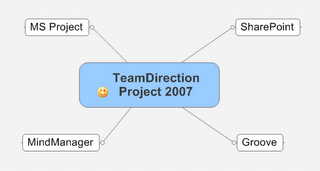
And not just MS Project summary tasks, but also topics and subtopics. The observant readers may have recognized the simple diagram above as a MindMap. We've found MindJet's MindManager is not only a great way to conceptualize a project but a powerful way to communicate it to a broad audience. TeamDirection Project takes it one step further-- it gives you a simple way to connect projects and tasks to individual team members, through SharePoint and Groove, so you can now execute and track them too.
Finally, we've made a few project management enhancements we're proud of. Things like an improved, interactive Gantt chart and a better Task grid. Useful features like multi-level undo, multi-project views with filtering, a very handy project organizer to group projects and 'smart folders' to quickly identify late ones.
Our philosophy at TeamDirection is 'The Right Tool for the Job.' We could spend years trying to make a project management solution do everything anybody ever wanted. But then it would end up looking something like this.
We believe in the right tool for the job. One of our jobs is making project management easy, accessible and useful. But our other job is to make sure the task data you need is in the application you want. MS Project, MindJet, SharePoint and Groove are a few such applications, but there are many more out there. Most of the world's projects are started with Excel. More and more task lists are executed with next generation web applications like BaseCamp and @Task. TeamDirection helps you make sure your projects are completed with the right tool for the right audience.

With one unique application.
TeamDirection Project 2007 has the robustness of an athlete, the wherewithal of a concierge and the communication skills of a diplomat. But perhaps most importantly it brings project management to a more human level.
We realize there are people involved in projects. This is why we integrated Instant Messaging right into the project view. We made it behave very similarly to SharePoint integration with MS Office apps so SharePoint (and Groove) users will be right at home.
But the real benefits are for team members who don't need a project management tool. Rather, they just need their browsers to point to SharePoint workspaces. Or if they have the newest MS Office family member, Groove 2007, then join Groove workspaces that take advantage of forms. The important thing is these team members need no additional software to participate in the project and complete their tasks.
We also aim to make the project manager's life a little better too. It's now very easy to move data from MS Project into TeamDirection, and from TeamDirection back to MS Project. Not import/export, but full synchronization. And not necessarily the entire project.
For example, while a project manager may be perfectly at home in a 1000 task project, sometimes its easier for a team to work on smaller pieces. TeamDirection Project lets the project manager identify a summary task as the piece of the project to share. Once in the TeamDirection system, we maintain a link to the summary task's origin and allow it to be published to either SharePoint Task Lists or Groove Task Lists. TeamDirection Project will then gather task data as people update their assigned tasks and synchronize that data with original summary task (and its children) in MS Project. It may sound difficult, but we've got it down to two clicks.
The result is any summary task can become a shared task list.
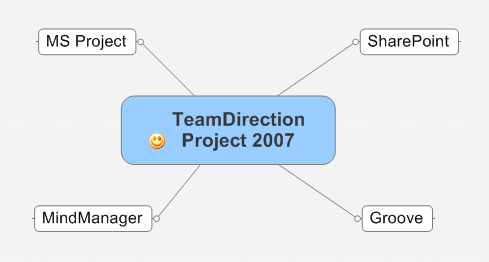
And not just MS Project summary tasks, but also topics and subtopics. The observant readers may have recognized the simple diagram above as a MindMap. We've found MindJet's MindManager is not only a great way to conceptualize a project but a powerful way to communicate it to a broad audience. TeamDirection Project takes it one step further-- it gives you a simple way to connect projects and tasks to individual team members, through SharePoint and Groove, so you can now execute and track them too.
Finally, we've made a few project management enhancements we're proud of. Things like an improved, interactive Gantt chart and a better Task grid. Useful features like multi-level undo, multi-project views with filtering, a very handy project organizer to group projects and 'smart folders' to quickly identify late ones.
Our philosophy at TeamDirection is 'The Right Tool for the Job.' We could spend years trying to make a project management solution do everything anybody ever wanted. But then it would end up looking something like this.
We believe in the right tool for the job. One of our jobs is making project management easy, accessible and useful. But our other job is to make sure the task data you need is in the application you want. MS Project, MindJet, SharePoint and Groove are a few such applications, but there are many more out there. Most of the world's projects are started with Excel. More and more task lists are executed with next generation web applications like BaseCamp and @Task. TeamDirection helps you make sure your projects are completed with the right tool for the right audience.

Thursday, October 26, 2006
A Great PMI Show
The booth is in the car, the staff is back at work, the show is over. It went better than I expected. We've been at the last three PMI Global Congress shows (Baltimore, Anaheim and Seattle) and this was definitely our best. Probably because now we have our best product. Just about every demo I gave went really well. However, I did notice three things:
1) People who see or read about TeamDirection Project see our integration with SharePoint, but make the assumption that we only store project files on the SharePoint server and share those. While we do store a project file on the SharePoint site, we also synchronize information with the standard SharePoint Task List that team members can update with their browsers-- including Safari for Mac users.
Invariably, once I show this feature people's eyes light up and they respond 'so you're just like Project Server!' As far as interacting with SharePoint task lists, yes. But to compare TeamDirection Project to Project Server is like comparing a hybrid car to an 18 wheeler. Yes they both have wheels, but we focus more on executing the tasks at hand whereas Project Server is the entire enterprise solution.
Still, the basics are the same: distributing and updating tasks with a web browser.
2) We think one of our coolest features is the integrated Instant Messaging window showing each team members presence. This lets you instant message a team member whose task might have fallen behind and ask what's going on. Or its a good way to notify your team of any changes to the plan. When I point this out, people agree its very useful. But I think we might be able to do more to show how the instant member list can be the same as your team member list. Maybe a presence ball right next to the assignment info? It's definitely a valuable feature to help project managers stay in touch with their team.
I think a couple of simple flash demos on our site will help convey these features. Time to put the director hat back on for a bit.
3) What is up with Microsoft and Groove? I was very surprised at how few people knew about Groove. Microsoft bought Groove back in March 2005. It's rolling Groove into the next version of Office. Ray Ozzie is now the Chief Architect at Microsoft. I thought Groove awareness would have doubled or tripled by now. It's a very powerful solution and, surprising as it may sound, Microsoft seems to be underselling it right now. Perhaps things will change once Office 2007 ships.
Thanks to everyone who visited our booth and made the show such a success for us. A special thanks to everyone who told their friends and colleagues we deserve a visit. The last day of the show was actually our busiest, which I chalk up to the word getting around.
See you at the next show!
1) People who see or read about TeamDirection Project see our integration with SharePoint, but make the assumption that we only store project files on the SharePoint server and share those. While we do store a project file on the SharePoint site, we also synchronize information with the standard SharePoint Task List that team members can update with their browsers-- including Safari for Mac users.
Invariably, once I show this feature people's eyes light up and they respond 'so you're just like Project Server!' As far as interacting with SharePoint task lists, yes. But to compare TeamDirection Project to Project Server is like comparing a hybrid car to an 18 wheeler. Yes they both have wheels, but we focus more on executing the tasks at hand whereas Project Server is the entire enterprise solution.
Still, the basics are the same: distributing and updating tasks with a web browser.
2) We think one of our coolest features is the integrated Instant Messaging window showing each team members presence. This lets you instant message a team member whose task might have fallen behind and ask what's going on. Or its a good way to notify your team of any changes to the plan. When I point this out, people agree its very useful. But I think we might be able to do more to show how the instant member list can be the same as your team member list. Maybe a presence ball right next to the assignment info? It's definitely a valuable feature to help project managers stay in touch with their team.
I think a couple of simple flash demos on our site will help convey these features. Time to put the director hat back on for a bit.
3) What is up with Microsoft and Groove? I was very surprised at how few people knew about Groove. Microsoft bought Groove back in March 2005. It's rolling Groove into the next version of Office. Ray Ozzie is now the Chief Architect at Microsoft. I thought Groove awareness would have doubled or tripled by now. It's a very powerful solution and, surprising as it may sound, Microsoft seems to be underselling it right now. Perhaps things will change once Office 2007 ships.
Thanks to everyone who visited our booth and made the show such a success for us. A special thanks to everyone who told their friends and colleagues we deserve a visit. The last day of the show was actually our busiest, which I chalk up to the word getting around.
See you at the next show!
Saturday, October 21, 2006
Getting Ready for PMI Congress in Seattle
It's nice its in Seattle this year. It gives us an opportunity to do a few things we couldn't normally do. For instance, I just got back from BigInk, a local company, that does out-of-the-ordinary printing. I asked them to print an 8 foot by 10 foot banner of text and graphics and they did an awesome job.
I'm about to hop in the car, set up the booth, hang the banner and get our systems all running. If you're there, I hope you notice it.
We've got half the company helping out with the show, most notably our developers. There is NOTHING like first-hand customer feedback, and this is our opportunity to educate our developers as much as our customers.
So if you're at the show and you come buy our booth (#1220), you might just meet one of our developers. Feel free to pepper him with requests about what you'd like to see. Let him know what works and what doesn't. Educate him that writing software is more than writing code, its making it work for the end user as well. Stand up and be heard!
And then watch as your suggestions come to life.
I'm about to hop in the car, set up the booth, hang the banner and get our systems all running. If you're there, I hope you notice it.
We've got half the company helping out with the show, most notably our developers. There is NOTHING like first-hand customer feedback, and this is our opportunity to educate our developers as much as our customers.
So if you're at the show and you come buy our booth (#1220), you might just meet one of our developers. Feel free to pepper him with requests about what you'd like to see. Let him know what works and what doesn't. Educate him that writing software is more than writing code, its making it work for the end user as well. Stand up and be heard!
And then watch as your suggestions come to life.
Friday, October 20, 2006
TeamDirection Project 2007 Released to BETA
Whew!
A big Thank You to everyone at TeamDirection for the next generation. Good Work Everybody!
Have you ever written software and released a BETA? It's alot of hard work. And these days you have to worry about web sites, marketing and partner communications too. Remember the old days where you put your code on a floppy or two, take out a classified ad and wait?
I don't either; I'm not that old. But that's what they tell me.
I like today better. In the old days you had to worry about packaging too, but I think that's been replaced by web sites, more or less. I suppose the big vendors (Microsoft, Adobe and such) still need to worry about it. But you can download our software, with a fast connection, in 30 seconds or so. And if you like it, you can buy it in 60.
I think the software industry might actually be improving!
I know our product is improving. I can't wait to tell you why its so great, but I'll have too. I'm still tired after a lot of hard work.
Some things never change.
Friday, October 13, 2006
Whither Adobe
Google bought YouTube. Good for them.
But did you know Adobe Systems made YouTube possible? Their flash player has excellent compression and does the best job of being cross-platform. Will some of that $1.6 billion rub off on Adobe?
(Full Disclaimer: I'm a former employee and my kids college fund has Adobe stock-- but you should still buy as much as possible)
Go read Ryan Stewarts blog for more reasons why Adobe might be the best software company you've never heard of.
On another note, we've kicked around the idea of having a project viewer using Flash. Maybe we should revisit that...
But did you know Adobe Systems made YouTube possible? Their flash player has excellent compression and does the best job of being cross-platform. Will some of that $1.6 billion rub off on Adobe?
(Full Disclaimer: I'm a former employee and my kids college fund has Adobe stock-- but you should still buy as much as possible)
Go read Ryan Stewarts blog for more reasons why Adobe might be the best software company you've never heard of.
On another note, we've kicked around the idea of having a project viewer using Flash. Maybe we should revisit that...
Thursday, October 12, 2006
Marriage of Social And Business Applications
Richard MacManus posted a lengthy article of mine over at his site. It's a variation of a theme I've mentioned before, but I like how it turned out (and how it was editied). I'll certainly take this opportunity to show how our Project Management product is a nifty marriage of Social and Business apps, but I thought I'd touch on a couple other 'stalwart' applications as well and see how they could benefit from a similiar entanglement.
The topic will only grow in importance as Office 2007 comes out, Google releases it's online productivity offerrings and Ray Ozzie pushes the 'Live' rejoinders out of Microsoft.
I know Richard thought 2007 would be the year of RSS, but I'm thinking its the year social and business go hand in hand.
The topic will only grow in importance as Office 2007 comes out, Google releases it's online productivity offerrings and Ray Ozzie pushes the 'Live' rejoinders out of Microsoft.
I know Richard thought 2007 would be the year of RSS, but I'm thinking its the year social and business go hand in hand.
Wednesday, October 11, 2006
International Project Management Day
No Kidding.
I was doing a search for Social Project Management and came up with this.
I wonder how it is to be celebrated. It says here:
Hmmm...
So no roses?
I was doing a search for Social Project Management and came up with this.
I wonder how it is to be celebrated. It says here:
Suggested events: internal company meetings, presentations about the value of project management, recognition breakfasts, lunches or receptions honoring project teams, local government recognition or proclamation, coordinated Project Management professional association events (PMI, IPMA, AIPM, etc.)or recognition at a previously scheduled project management event.
Hmmm...
So no roses?
Tuesday, October 10, 2006
Google Docs & Spreadsheets
I just saw the latest from Google in the form of Google Docs & Spreadsheets. It definitely looks interesting. And I like that you can upload (max of 500k) MS Word and MS Excel files.
I think the single biggest feature could be multiple people working on a document online at the same time. I know this was a huge feature with Groove 3.x (sorry to see it go). It's nice to see Google picking it up. That 'Collaborate' tab on the top right definitely has me intrigued.
And you can export as a Word document again, or other types. Cool.
But (can I write this on blogger, owned by Google?) some missing features come to mind (or maybe I just missed them... its been known to happen):
How are you supposed to work on documents offline?
Since its from Google, is everything searchable? Are everyone's drafts and revisions searchable? If so, it may not be the best idea.
And as as a software developer, I'd love to plug some of these holes-- and think of new stuff. When will the API be published?
I think the single biggest feature could be multiple people working on a document online at the same time. I know this was a huge feature with Groove 3.x (sorry to see it go). It's nice to see Google picking it up. That 'Collaborate' tab on the top right definitely has me intrigued.
And you can export as a Word document again, or other types. Cool.
But (can I write this on blogger, owned by Google?) some missing features come to mind (or maybe I just missed them... its been known to happen):
How are you supposed to work on documents offline?
Since its from Google, is everything searchable? Are everyone's drafts and revisions searchable? If so, it may not be the best idea.
And as as a software developer, I'd love to plug some of these holes-- and think of new stuff. When will the API be published?
Sunday, October 08, 2006
Nice Article on Groove and SharePoint at LSU
Microsoft has published an informative article on Groove and SharePoint helping build an emergency operations center on the Gulf Coast.
It's a nice summary of not only what each individual product can bring, but also how they can work together and complement each other.
Read it here.
It's a nice summary of not only what each individual product can bring, but also how they can work together and complement each other.
Read it here.
Wednesday, October 04, 2006
Use MS Project Online, Use SharePoint Offline
Have you ever wanted to publish an MS Project summary task to a SharePoint task list? What about pulling your SharePoint tasks onto your local machine and unplugging from the network? Our next version of TeamDirection Project will bring these and other very useful features to a marketplace waiting to see what Office 2007 has to offer.
As I've written before, there is a new type of application emerging to handle the current dichotomy of desktop and online environments. It has to be socially adept so as to gain acceptance on the desktop, it has to be able to enhance communication in order to be effective and it has to integrate with current business systems in order to pass the muster with IT. I've taken to calling these kinds of applications 'Social Business Applications.'
What exactly is a social application? As Ebrahim Ezzy observes, one that allows groups of people to coordinate certain kinds of interaction. Like EMail, for example.
And a business application? Microsoft states: business applications are any application important to running your business. Like EMail, for example.
Wait a second. Could EMail be the first social business application?
Yes it could. And it also happens to be the most successful application of all time. The reason is simple: because it shares aspects of both social and business computing, it can be everywhere. Desktops or webtops, phones or blackberries. And because it shares aspects of both, it can be used by corporate CEOs or PTA moms-- anyone who requires coordinating group interaction.
That sounds like the definition for social business applications: software that coordinates group interaction important to running your business.
We at TeamDirection think one of the segments to benefit from the convergence of social and business application development is Project Management. Richard MacManus of ReadWriteWeb agrees with this assessment as well.
What does this mean for you?
How about integrating Instant Messaging right into the project so that you can see when the people you've assigned tasks to are online. What would you rather do, send an email regarding a late task and wait for a response, or see their real-time presence and talk to them immediately?.
How about pulling a summary task and its children from MS Project and publishing it to a SharePoint or Groove task list in a workspace for everyone to report their progress AND pushing that updated information back into MS Project.
We think its the best of both worlds: online/offline, rich desktop apps and browser-based, simple web apps.
The sum really can be greater than the parts!
As I've written before, there is a new type of application emerging to handle the current dichotomy of desktop and online environments. It has to be socially adept so as to gain acceptance on the desktop, it has to be able to enhance communication in order to be effective and it has to integrate with current business systems in order to pass the muster with IT. I've taken to calling these kinds of applications 'Social Business Applications.'
What exactly is a social application? As Ebrahim Ezzy observes, one that allows groups of people to coordinate certain kinds of interaction. Like EMail, for example.
And a business application? Microsoft states: business applications are any application important to running your business. Like EMail, for example.
Wait a second. Could EMail be the first social business application?
Yes it could. And it also happens to be the most successful application of all time. The reason is simple: because it shares aspects of both social and business computing, it can be everywhere. Desktops or webtops, phones or blackberries. And because it shares aspects of both, it can be used by corporate CEOs or PTA moms-- anyone who requires coordinating group interaction.
That sounds like the definition for social business applications: software that coordinates group interaction important to running your business.
We at TeamDirection think one of the segments to benefit from the convergence of social and business application development is Project Management. Richard MacManus of ReadWriteWeb agrees with this assessment as well.
What does this mean for you?
How about integrating Instant Messaging right into the project so that you can see when the people you've assigned tasks to are online. What would you rather do, send an email regarding a late task and wait for a response, or see their real-time presence and talk to them immediately?.
How about pulling a summary task and its children from MS Project and publishing it to a SharePoint or Groove task list in a workspace for everyone to report their progress AND pushing that updated information back into MS Project.
We think its the best of both worlds: online/offline, rich desktop apps and browser-based, simple web apps.
The sum really can be greater than the parts!
Subscribe to:
Posts (Atom)


 Posts
Posts


